
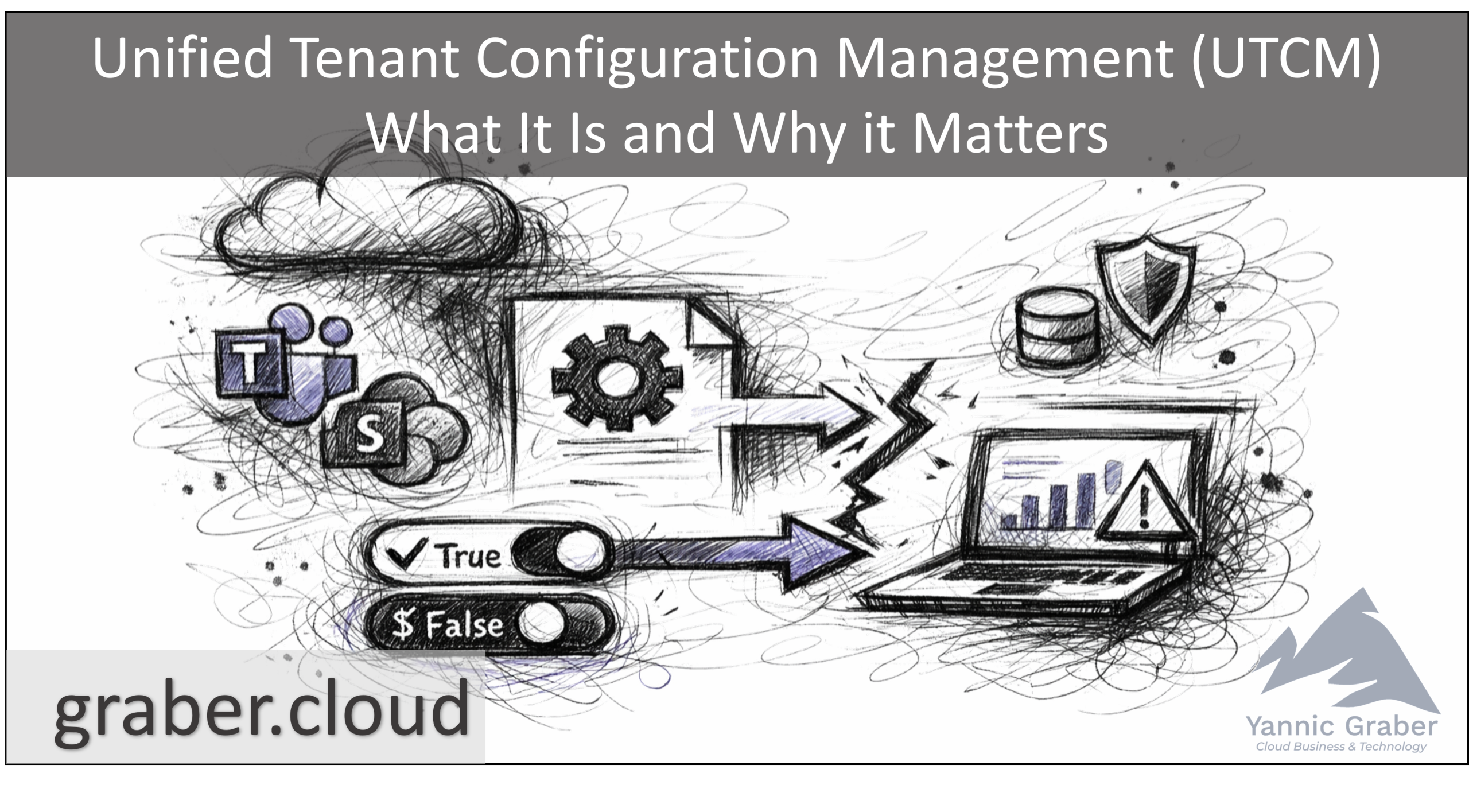
The time has come: Unified Tenant Configuration Management (UTCM) Graph API is now available in public preview. In this post, I will explain what UTCM is and why it is relevant. I will focus on the current possibilities, architecture, limitations, comparison with community tools, and so on.
What is UTCM?
Microsoft's Unified Tenant Configuration Management (UTCM) is a new set of Graph APIs (public preview since January 27, 2026) that allows administrators to manage Microsoft 365 tenant configuration as code, with built-in snapshot (baseline) and drift monitoring capabilities. Essentially, it provides a native way to capture the configuration status of your tenant and continuously detect deviations, directly addressing the long-standing challenge of configuration drift in M365 environments.
Are you familiar with the open source project Microsoft 365 DSC? UTCM is the official successor to the community-developed Microsoft 365 DSC solution and offers tools for tenant configuration that are officially supported by Microsoft.
Configuration as code for M365
With UTCM, you can define tenant configurations as code. Export settings in JSON, save them as a baseline, and automatically check for unwanted changes made to this baseline.
Continuous drift monitoring
The monitoring function (Monitor), which can be run at maximum intervals of 6 hours, allows live settings to be compared with the baseline. Any deviation is marked as a drift, giving administrators an overview of changes.
Multi-Workloads
In the preview, UTCM supports several key Microsoft 365 services (Entra ID, Exchange, Teams, Intune, Defender, Purview) for over 300 configuration object types. Coverage is extensive, but still limited. An extension to other services such as SharePoint Online is planned.
Core competency: Baselines and drift analysis
The UTCM operating model is simple but powerful: you capture a baseline and then monitor it for deviations. The workflow involves two main steps:
- Create a configuration snapshot (baseline): Create a snapshot job via API call as an asynchronous process. This means that the job is commissioned with the appropriate parameters, such as the resource types to be included. The job is then executed in the background by Microsoft. Once completed, you will receive a snapshot of the configuration of your selected resource types in JSON format. This snapshot can now serve as a baseline or desired state. Please note that UTCM is not intended for long-term storage of configurations. A snapshot is only stored temporarily for a maximum of 7 days and should be exported for longer storage if required.
- Provide monitor for drift analysis: Once you have a JSON baseline snapshot (whether created via snapshot or manually), you can create a configuration monitor in UTCM. A monitor is essentially a scheduled job in the Microsoft cloud that runs every 6 hours (fixed interval in preview) to compare the live tenant settings with the baseline. The monitor checks every configuration item defined in the baseline.
Each monitor can cover multiple resources. You can also use multiple monitors and combine or separate them. For example, you can create a monitor for monitoring each service (Exchange, Entra, Teams, etc.) and thus separate the configuration monitoring from each other at a logical level.
If, during the check, the current value of the settings to be monitored in the tenant deviates, UTCM saves this deviation as a drift record. This record specifies what has changed (e.g., which property now deviates from the baseline) and when this was first noticed. These drift records remain "active" until an administrator resolves them. After that, the deviation is marked as resolved. During the preview, the monitors operate in "monitor only" mode. Automatic recovery does not yet exist.
This baseline and monitoring system provides administrators with continuous verification of their tenants' configuration status. Instead of manually checking dozens of admin centers or relying on ad hoc scripts, you get a centralized feed of all settings that deviate from the approved baseline. This allows unintended changes to be proactively identified before they become security or compliance issues.
Architecture and functionality behind the scenes
UTCM is implemented as part of the Microsoft Graph API (beta), which means that it is currently a pure API solution (no GUI in the M365 Admin Center yet). The main work is done on the server side by Microsoft and represents a significant change from previous community solutions.
1st Party Service Principal
For the first time, Microsoft is providing a first-party integrated service principal for UTCM called "Unified Tenant Configuration Management" with the app ID 03b07b79-c5bc-4b5e-9bfa-13acf4a99998.

When you run a snapshot or monitoring job, it is the one that actually reads your tenant's configuration. It is the one that must be granted the appropriate permissions. These can be assigned selectively according to your requirements, based on the least privilege principle. This design allows the work to be outsourced to the Microsoft cloud. Unlike Microsoft365DSC, which performed all data collection locally via PowerShell modules, UTCM's collection and comparison logic runs in Microsoft's infrastructure as a multi-tenant service.
Calling the API
Administrators or automation tools call the graph endpoints to manage UTCM. There are two authentication contexts:
- Control Plane (Graph): As a user, your script or app requires Graph permissions or a privileged role to call the UTCM APIs and create and view snapshot jobs and monitors. Fortunately, there are now two new Graph permissions that can also be assigned in the application context. "ConfigurationMonitoring.Read.All" and "ConfigurationMonitoring.ReadWrite.All." Essentially, these are the only permissions your app needs. This regulates access to the new Graph API.
- Data level (tenant): The UTCM service principal in your tenant, on the other hand, requires rights to read (or write, if necessary) the specific configuration data. This is the identity that actually performs the snapshot export and drift checks.
Taking snapshots
When a snapshot job is started, it runs asynchronously. UTCM lists the requested resource types (e.g., read all conditional access policies) and compiles the results into a structured JSON file. Once the job is complete, you can query the snapshot results via another API call.
Monitoring cycle
A created monitor is added to an active schedule and triggers automatically every 6 hours. The time is fixed and cannot be changed in the public preview. During each run, the UTCM service principal reads the current values of all settings listed in the baseline and compares them with the baseline. It then creates a data record that logs whether the run was successful and how many deviations (drifts) were found. This data record in turn contains further data records for each discrepancy. Administrators can then query the Graph API to retrieve the latest monitoring results and deviation details.
Current limitations (Public Preview):
At least during the current preview, UTCM has some fixed limitations that you need to be aware of.
Supported workloads
(SharePoint and others to follow)
Snapshot-Export
Resources per tenant per month as a maximum. 200 snapshots per tenant per month as a maximum, stored for 7 days.
Monitors per Tenant
Up to 30 monitors running every 6 hours and a maximum of 200 resources. A total of up to 800 resource checks per day.
Drift Retention
Drift records are stored indefinitely until they are marked as resolved, and then deleted 30 days later.
Bottlenecks
These quotas underscore that UTCM is designed for targeted monitoring of critical configurations and not for comprehensive, high-frequency checking of all elements in your tenant. For example, the monitor limit of 200 resources per tenant means that if you have a reasonably large number of objects, you will need to prioritize which ones are most important for monitoring. The limit of 20,000 elements per month for snapshots, on the other hand, is sufficient for regular baseline assessments in most tenants, partly because the resource types can be distributed across different snapshot jobs, which in turn affects the 200 snapshot limit per month. When you consider the resource types "User" (microsoft.entra.user) or "Groups" (microsoft.entra.group), it quickly becomes clear that appropriate filtering of resource types will soon be necessary.
Scope of coverage
Currently, UTCM supports over 250 officially documented resource types for the six workloads listed above. These include, for example, Exchange transport rules, retention policies in Purview, device compliance policies in Intune, and various Teams and Entra ID settings at the tenant level.
Highlight: The complete schema of supported resource types is publicly documented and published as a JSON schema for the configuration template on Schemastore.
One notable and significant drawback is that SharePoint Online and several other services are missing. The absence of these services is likely due to a lack of or inadequate integration with Microsoft Graph. Support is planned, but no official roadmap has been announced. In addition, coverage within a supported resource type may not yet be 100%.
As the public preview continues to evolve, I expect Microsoft to expand both the breadth (more services) and depth (more resource types and configurations per service) of UTCM.
UTCM vs Microsoft 365 DSC
UTCM is a modern, fully supported replacement for Microsoft 365 DSC (Desired State Configuration), which was previously used as a community/open source tool for similar purposes. On the Microsoft 365 DSC homepage, UTCM is even officially named as the successor solution and a transition from M365DSC to UTCM is described.
Both tools aim to implement configuration as code and drift management for Microsoft 365, but differ significantly in terms of approach and features:
| Microsoft 365 DSC (M365 DSC) | Unified Tenant Config Mgmt (UTCM) | |
|---|---|---|
| Supported by | Community & MVPs (open source on GitHub), not an official MS product. | Microsoft (integrated Graph API, officially supported by Microsoft). |
| Interface & Format | PowerShell module (Microsoft365DSC). Configuration defined in PowerShell DSC syntax (.ps1), which is compiled into MOF files and operated via PS commands. No native user interface. | REST API (Graph) – Configuration defined in JSON templates Language-independent (Graph SDK/REST, PowerShell, .NET, Python, etc.). Currently no user interface. |
| Execution | Client-side execution (on a computer, Azure Automation, VM). Settings retrieval and drift analysis are performed on this host using API calls. Continuous monitoring requires scheduling DSC executions or using DSC's LCM (Local Configuration Manager) on a VM. | Cloud execution: Snapshots and drift analysis are performed by Microsoft UTCM as an automated job. No dedicated VM or scheduled jobs are required; Microsoft handles the 6-hour scheduling and processing. |
| Functions | Export (snapshot) the configuration and test (monitor) for deviations. Also supports applying (importing) configuration changes using DSC mechanisms. No integrated deviation warning. | Snapshot and monitor for drift detection (same core functions). No push/correction function in the preview yet. However, Microsoft has announced that future updates will add the provision of configurations and automatic correction of deviations. |
| Workload coverage | Includes core services such as Entra, Exchange Online, SharePoint Online, OneDrive, Teams, etc. However, the quality of coverage varied and required constant community updates for new features. | Currently limited coverage (Entra, Exchange, Teams, Intune, Defender, Purview). For example, SharePoint and OneDrive are completely missing, probably due to their lack of/insufficient Graph integration. |
| Scalability and multi-tenancy | No native multi-tenant management. To use the system for multiple tenants, you must run separate instances of DSC or scripts for each tenant. | No native multi-tenant support (currently). |
| Expandability | Extensible by writing new PowerShell DSC resources (community-driven development). | Extendable only by updating the API by Microsoft with new resource types. |
In summary, UTCM shifts tenant configuration management from an independent, script-heavy approach to a cloud-native, API-driven approach. It eliminates the dependency on running PowerShell scripts on a schedule and promises better scalability and official support. UTCM will eventually replace Microsoft365DSC entirely once it matures, especially when the configuration deployment and remediation features are available.
Limits & Outlook
As promising as UTCM may seem, as a public preview it naturally still has some limitations. It is crucial to be aware of these in order to assess the tool realistically and use it sensibly.
Only defined resources are monitored: UTCM only recognizes changes to resources that have been explicitly defined in the baseline. This means:
- If an existing policy (e.g., a conditional access policy) is changed, UTCM reliably detects the deviation.
- However, if a new policy is added that was not part of the original baseline, this goes unnoticed.
- Similarly, new parameters introduced by feature updates from Microsoft are not automatically recognized unless they are included in the baseline.
This limitation can lead to blind spots and is particularly painful when Microsoft adjusts a default value, when new features are introduced, or in dynamic environments with frequent changes.
No comparison with best practices or standards: UTCM currently does not offer the option of comparing configurations with established security standards such as CIS benchmarks or Microsoft Security Baselines. Such a feature would be a valuable component for compliance and governance scenarios.
Built-in drift detection only relative to your own definition: Drift detection is based solely on comparison with the self-defined baseline. There is no "intelligent" detection of security-critical changes or potential misconfigurations outside this definition. UTCM does not know whether a change is "good" or "bad." It only detects that it deviates from the target state.
Still at the beginning, the road ahead is long: UTCM is a young product with great potential, but also with clear limitations:
- Service coverage is not yet complete. Particularly noteworthy: SharePoint Online is not currently supported. This is an area where configuration drift can be particularly critical.
- The maximum number of monitored resources (800 per day) and snapshots (20,000 resources per month) is sufficient for many scenarios, but can quickly reach its limits for large tenants or ambitious governance goals.
- Automatic correction of drifts is not yet available. Currently, UTCM is purely a monitoring tool.
What is already possible: Despite these limitations, UTCM is worth checking out. It is already available to all Microsoft 365 tenants and, unlike in the private preview, no whitelisting is required. A Microsoft 365 E3 or Microsoft Entra ID P1 license is required.
Conclusion
Unified Tenant Configuration Management (UTCM) is a significant step toward modern, declarative configuration management for Microsoft 365. For the first time ever, it comes directly from Microsoft. It brings key features such as snapshot creation and drift monitoring directly into the Microsoft world as an officially supported Graph API for the first time, without detours via third-party tools or community projects.
Despite its strengths, UTCM is currently still a tool with clear and significant limitations. The lack of coverage for important services such as SharePoint Online is probably the most significant of these. However, the limitation to defined resources and the lack of integration of best practices also show that UTCM is still in its infancy. Nevertheless, it is heading in the right direction. With UTCM, Microsoft is finally addressing a long-standing problem.
Those who have already worked with Microsoft 365 DSC will quickly find their way around. Newcomers will find UTCM a future-proof foundation.
In the next parts of this series, we will take a look at practical implementation and strategic relevance: how to set up UTCM, create snapshots, which best practices are already emerging, and the importance of drift analysis.
Sources:
https://learn.microsoft.com/graph/utcm-entra-resources?WT.mc_id=AZ-MVP-5004129
https://learn.microsoft.com/graph/utcm-exchange-resources?WT.mc_id=AZ-MVP-5004129
https://learn.microsoft.com/graph/utcm-intune-resources?WT.mc_id=AZ-MVP-5004129
https://learn.microsoft.com/graph/utcm-securityandcompliance-resources?WT.mc_id=AZ-MVP-5004129
https://learn.microsoft.com/graph/utcm-teams-resources?WT.mc_id=AZ-MVP-5004129
https://nik-charlebois.com/blog/posts/2026/introducing-tcm-apis/index.html
https://microsoft365dsc.com/blog/2026/utcm-transition/utcm-transition/index.html
https://ourcloudnetwork.com/microsoft-to-introduce-native-tenant-configuration-drift-monitoring/
https://petri.com/microsoft-graph-utcm-apis-configuration-drift
 English
  German